

Migration Guide
Moving from Grid Diary Classic to the new Grid Diary
The old version of Grid Diary has been renamed to Grid Diary Classic and has been retired. The new Grid Diary is a brand new app. We strongly recommend all users upgrade to the new Grid Diary for the latest features, security, and cross-platform support.
Why Migrate?
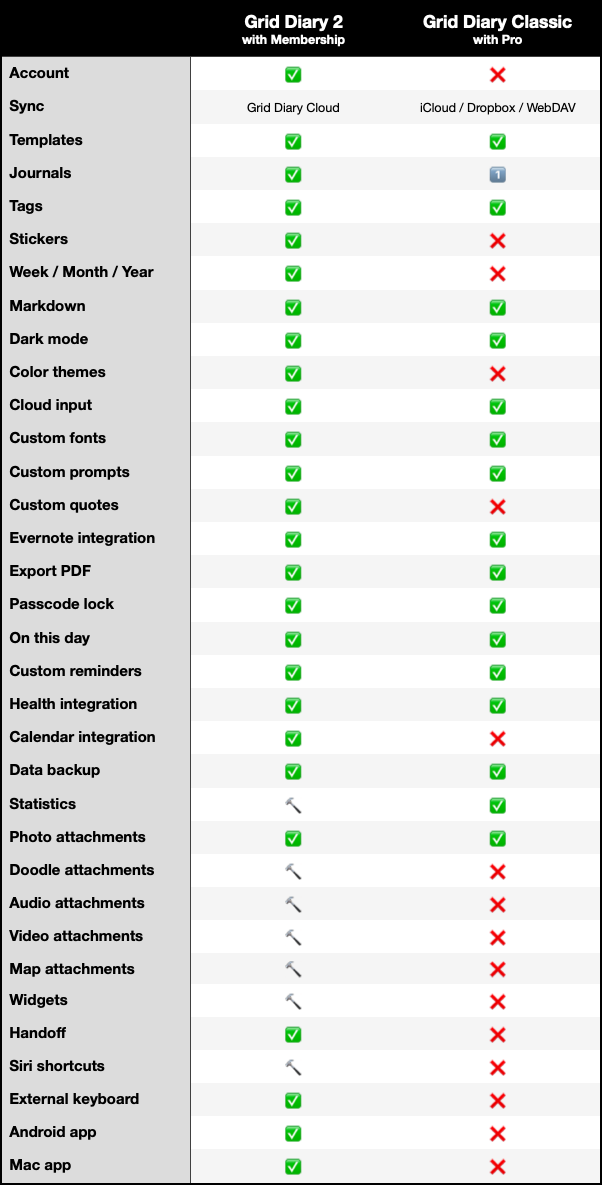
Grid Diary is a complete, modern rewrite of our journaling engine featuring:
- Cross-Platform Sync: Sync between iOS, Android, and Mac.
- Enhanced Privacy: End-to-End Encryption options to lock your diaries.
- Better Writing: Fully upgraded Markdown editor, multiple timelines, and multiple journals.
How to Migrate Data
Since Grid Diary Classic stored data locally without an account system, you must manually transfer your database to Grid Diary.
Step 1: Export from Classic
- Open Grid Diary Classic (ensure Grid Diary Classic is updated to v4.2.6+).
- Go to Settings > Data > Advanced > Export JSON.
- Patiently wait for the JSON packaging to finish.
Step 2: Import to Grid Diary
- Select Open in Grid Diary from the system share sheet.
- Alternatively, save the
.jsondatabase file to your device files app, open Grid Diary, go to Me > Data > Import from Classic, and browse for the exported file.
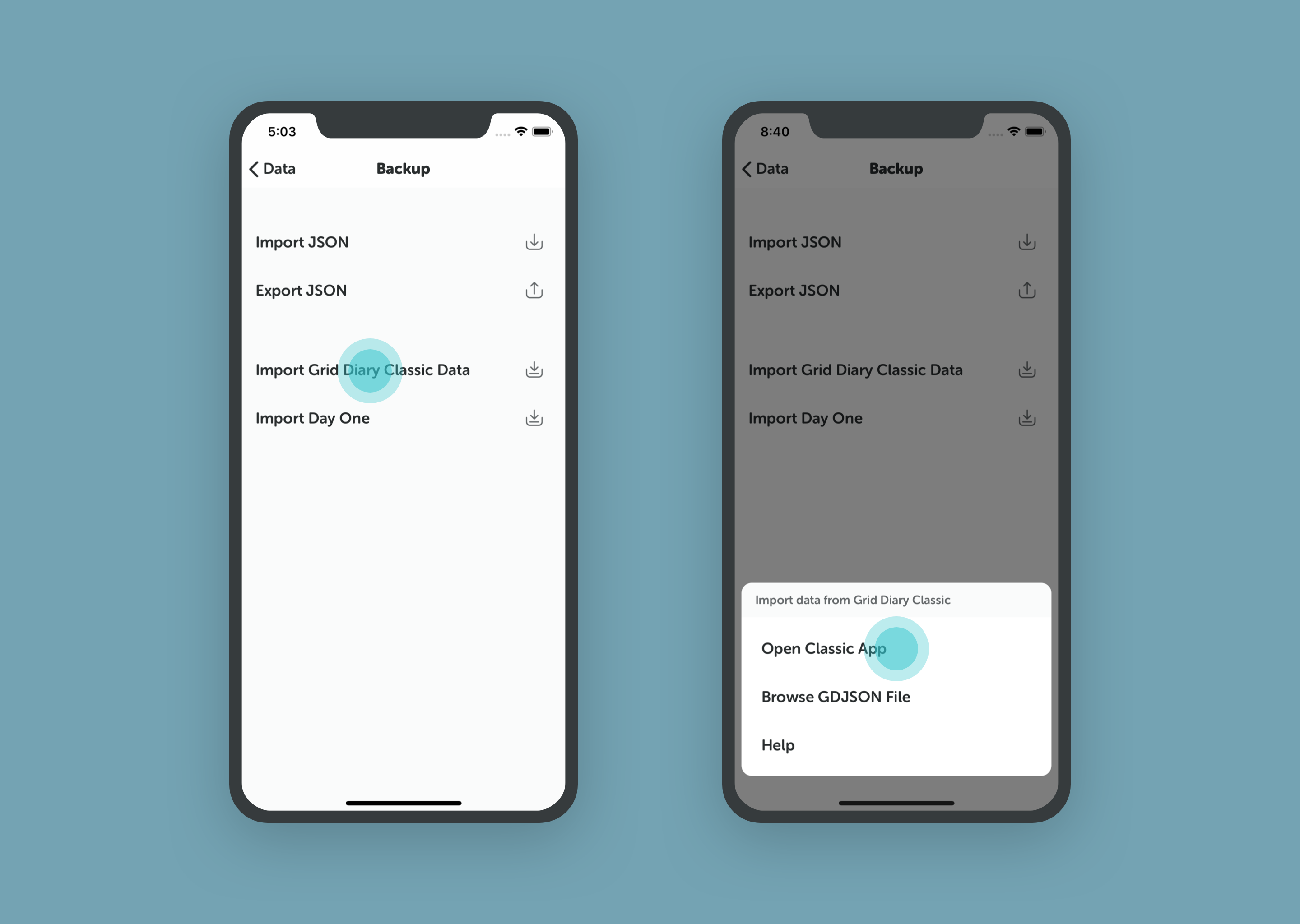 1. Export JSON from Grid Diary Classic
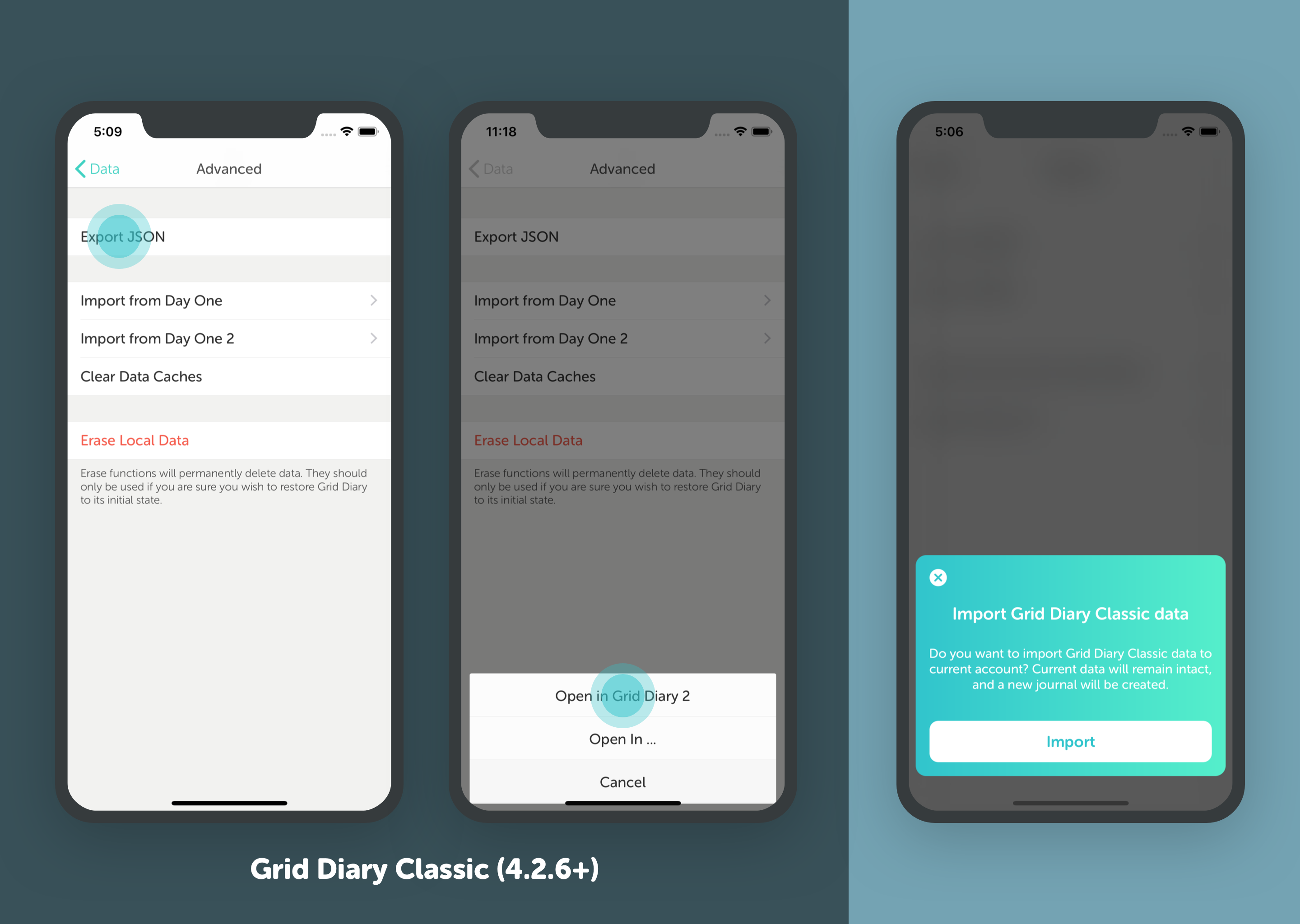 2. Import Database in Grid Diary
Once your data is safely imported and synced to your new account, you can safely delete the Classic app from your device.
Legacy Pro Users
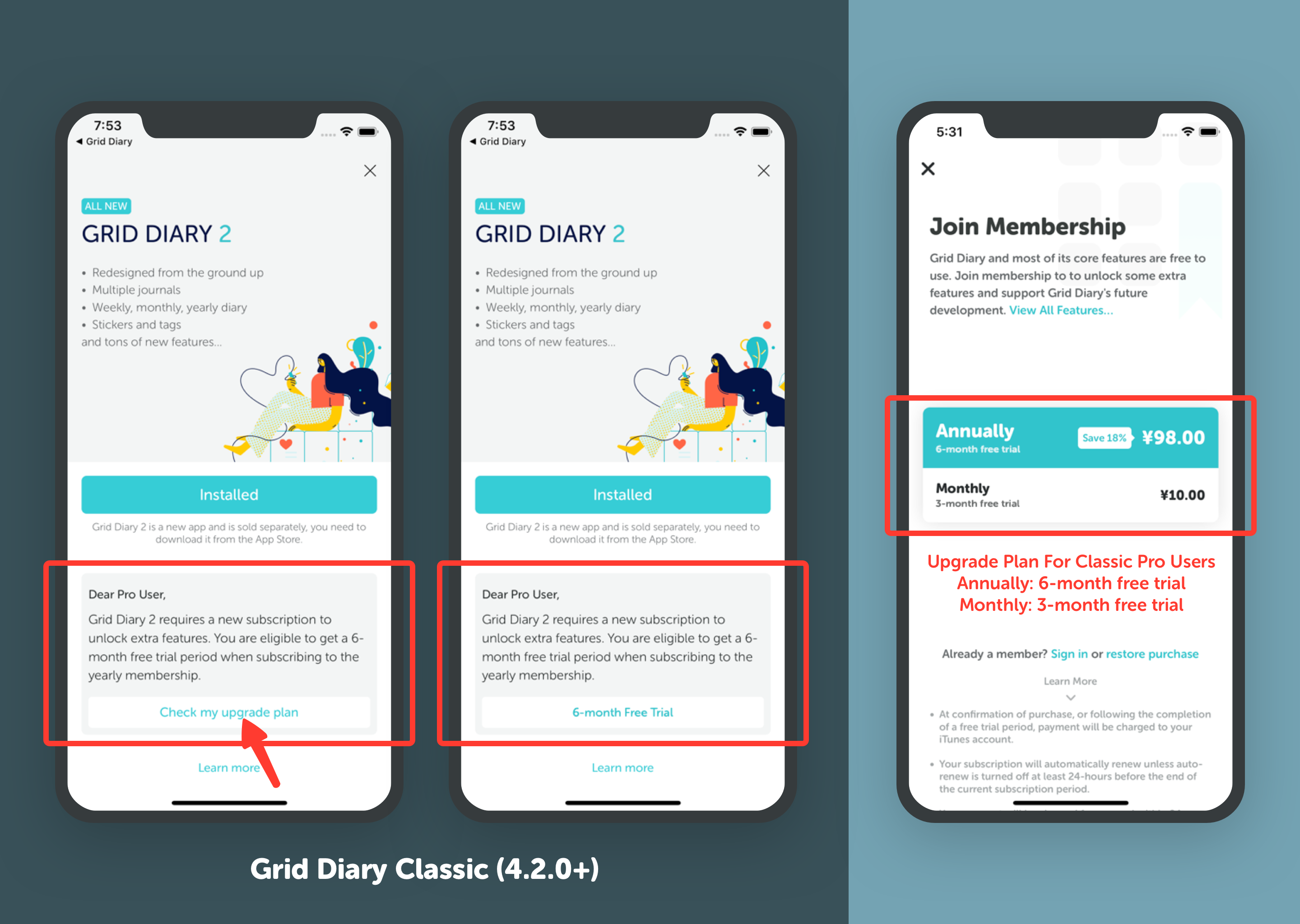
To thank our earliest supporters, we offered a special upgrade offer for Classic Pro users which allowed redeeming a 6-month free trial of Grid Diary Membership.
Although this promo ended on June 30, 2019, Grid Diary's core features remain free to use forever.
Classic Users and Android Support
I am a Grid Diary Classic user. Can I use the Android version?
Grid Diary Classic was exclusively built for iOS devices. However, the new Grid Diary is fully cross-platform.
To access your Classic journals and entries on an Android device:
- First, manually migrate your data from Grid Diary Classic to the new Grid Diary app on an iOS device (following the step-by-step export and import instructions above).
- Create and log in to a Grid Diary account in the new iOS app, and turn on Cloud Sync to synchronize your journals securely.
- Log in with that exact same account on your Android device. All your synced diaries will automatically download and be fully available on Android!