

Home Widgets
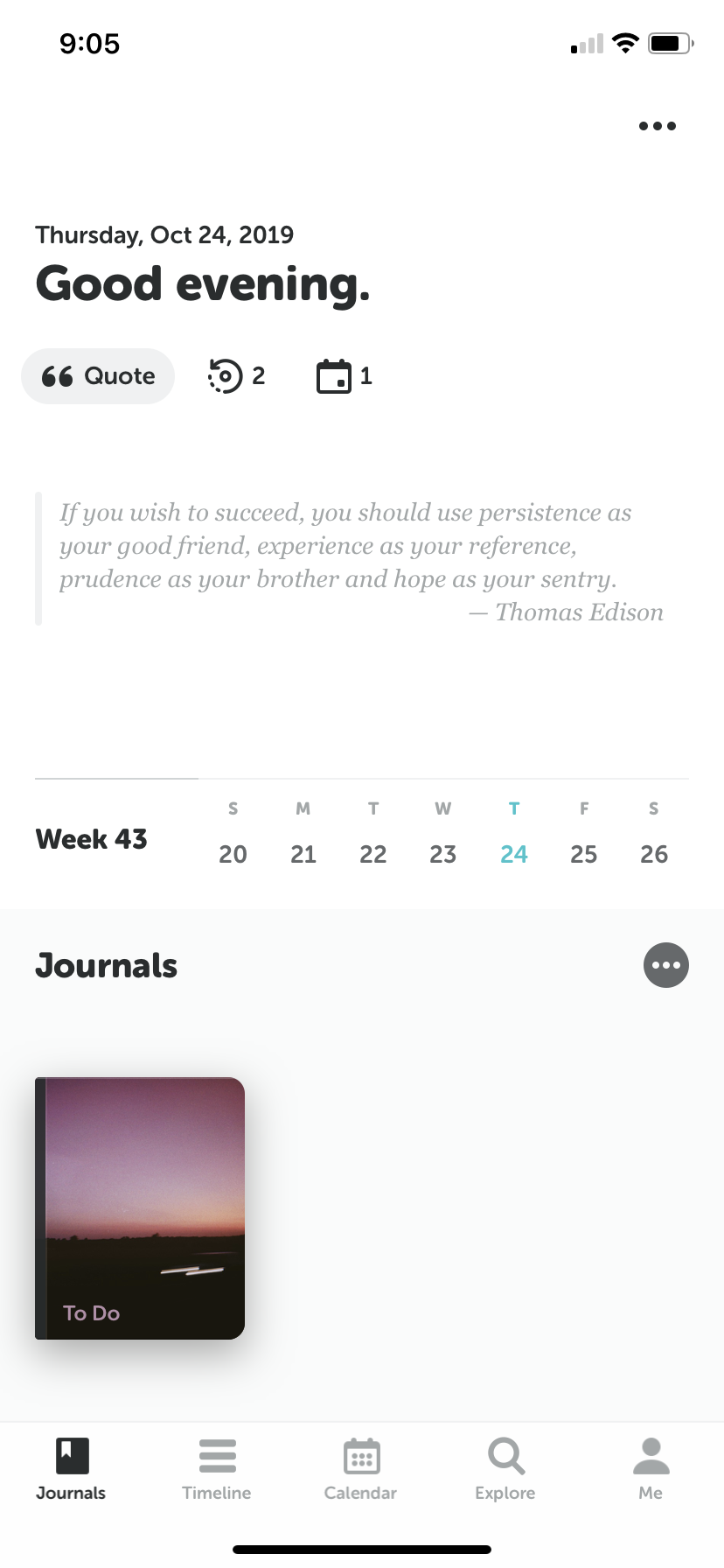
Personalize the widgets at the top of your home screen
The top area of your home screen is customizable with widgets that provide quick info and inspiration.
Editing Widgets
- On the Home Screen, tap the "..." icon in the top right.
- You will enter Edit Mode.
Widget Types
- Memory: Shows "On This Day" entries from previous years.
- Calendar (Events): Displays events from your system calendar.
- Quote: A daily inspirational quote.
Customizing
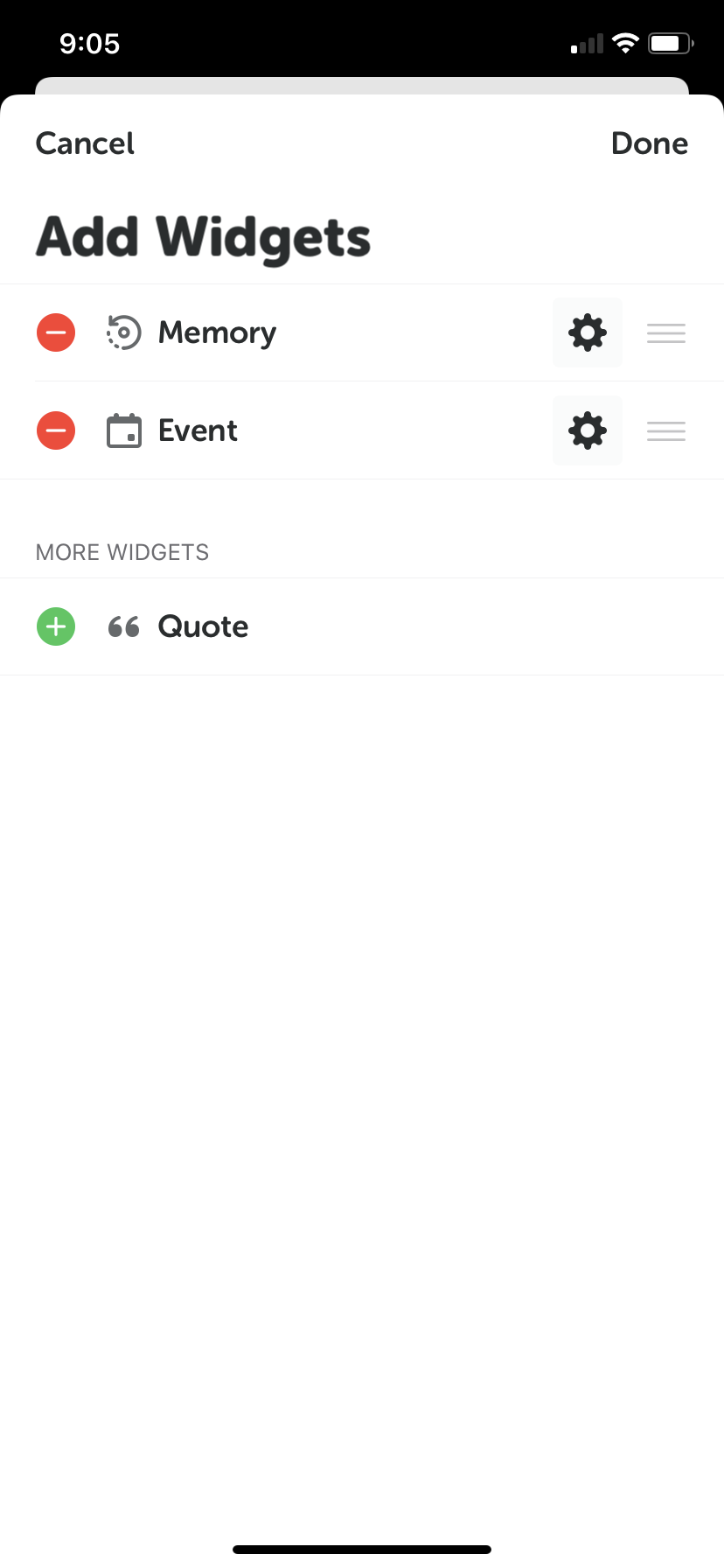
- Add/Remove: Tap the red
-or green+buttons to show or hide widgets. - Reorder: Drag the handle on the right up or down. The top one displays first.
- Settings: Tap the gear icon to configure specific widget behaviors:
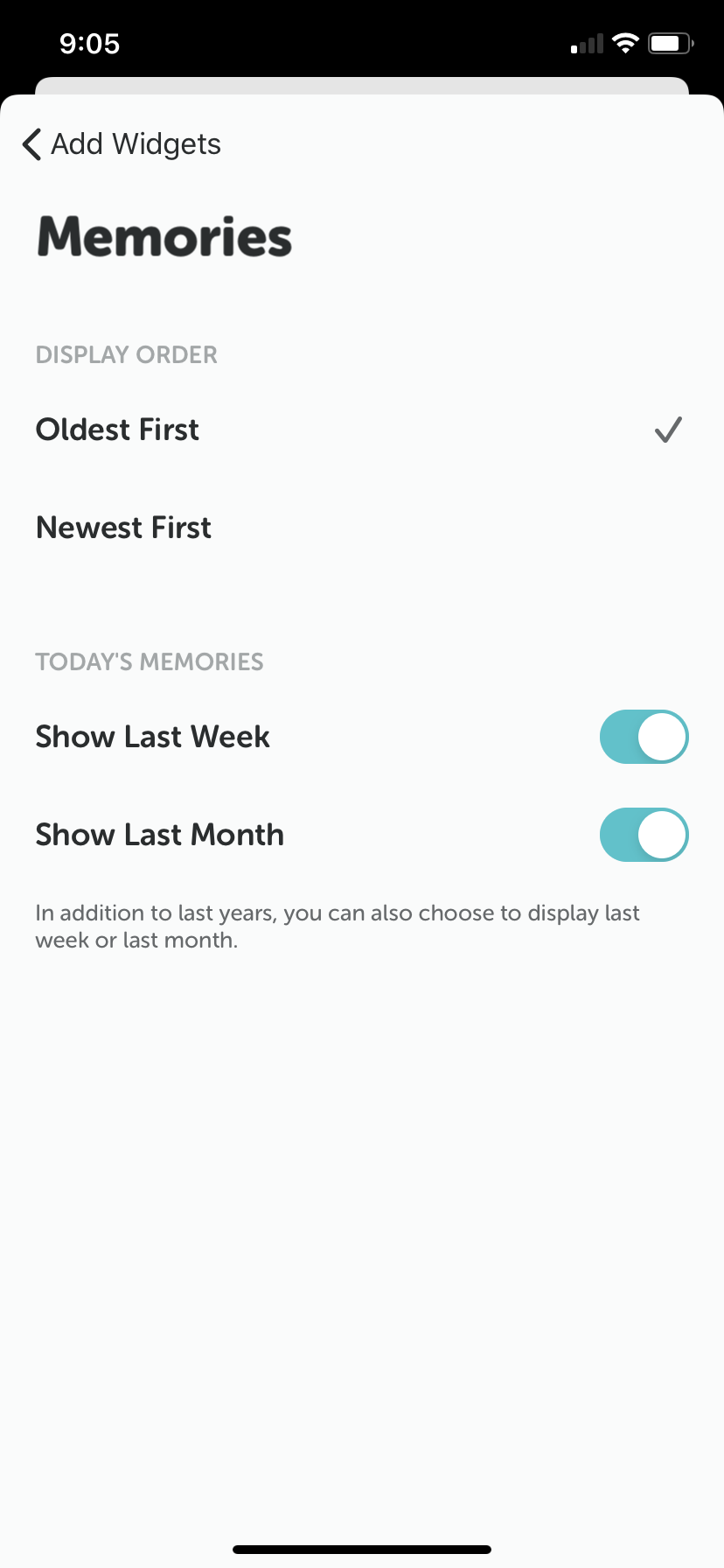
- Memory: Adjust settings to show entries from "this day last week/month" in addition to previous years.
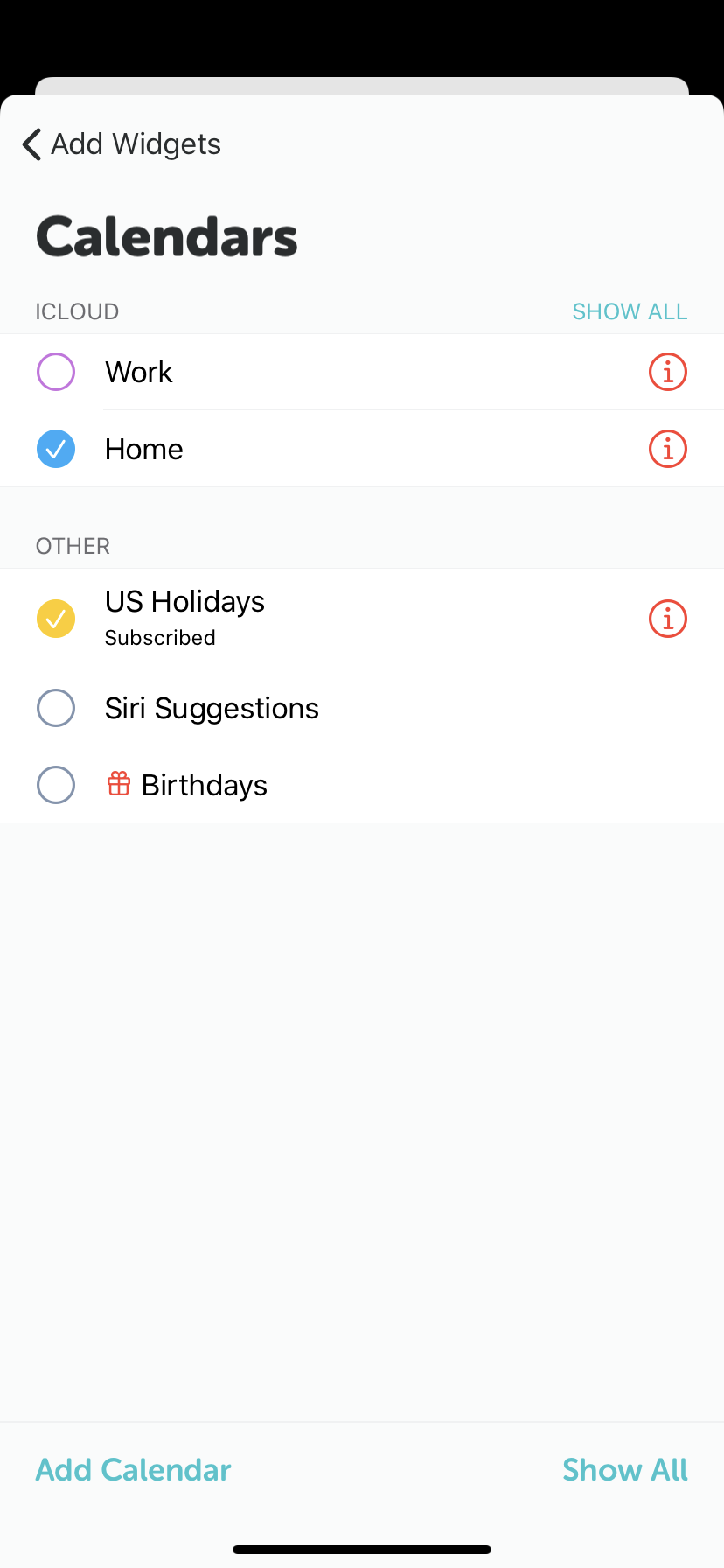
- Events: Toggle which system calendars to display.
 Add/Remove Widgets
 Memory Widget Config
 Calendar Event Config