

Journals
Organize different aspects of your life with multiple journals
Grid Diary allows you to create multiple independent journals to separate different aspects of your life. You might keep one for Personal Reflections, one for Work Logs, and another for Travel Notes.
Managing Journals
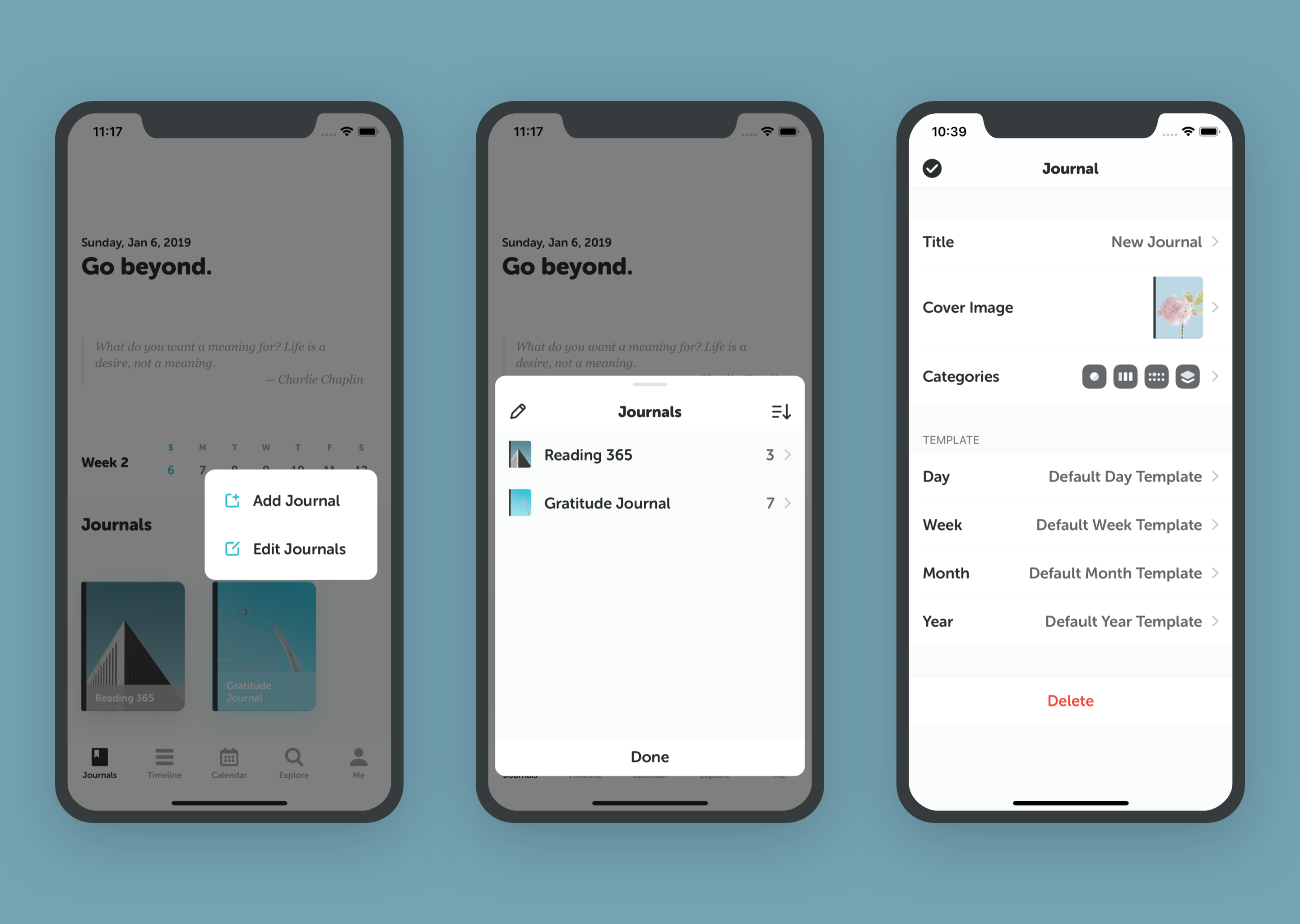
You can fully customize each journal to suit its purpose.
Create a New Journal
- Tap the Journal tab at the bottom of the screen.
- Select Add New Journal.
- Choose a template or start from scratch.
Customize Your Journal
For each journal, you can:
- Rename: Give it a unique title.
- Cover Image: Choose a cover that inspires you.
- Template: Set specific questions/grids for this journal.
- Categories: Define if this journal is for Daily, Weekly, Monthly, or Yearly tracking.
Learn more about configuring Dimensions and Templates.
Delete a Journal
If you no longer need a journal:
- Go to the Journal settings.
- Select Delete Journal.
Deleting a journal will permanently remove all entries within it. Please back up important data first.