
Grids
Master the core building blocks of your diary
In Grid Diary, a day is divided into "Grids." Each grid represents a specific question or topic, helping you break down your day into manageable reflections.
Writing in grids is a form of guided writing. Every grid has a title representing a prompt, and you can either write your own custom prompt or select one from our extensive Prompt Library.
Tap any grid to start writing. Use the formatting toolbar for formatting.
Editing Grids
You can customize the grids for any specific day without affecting your templates.
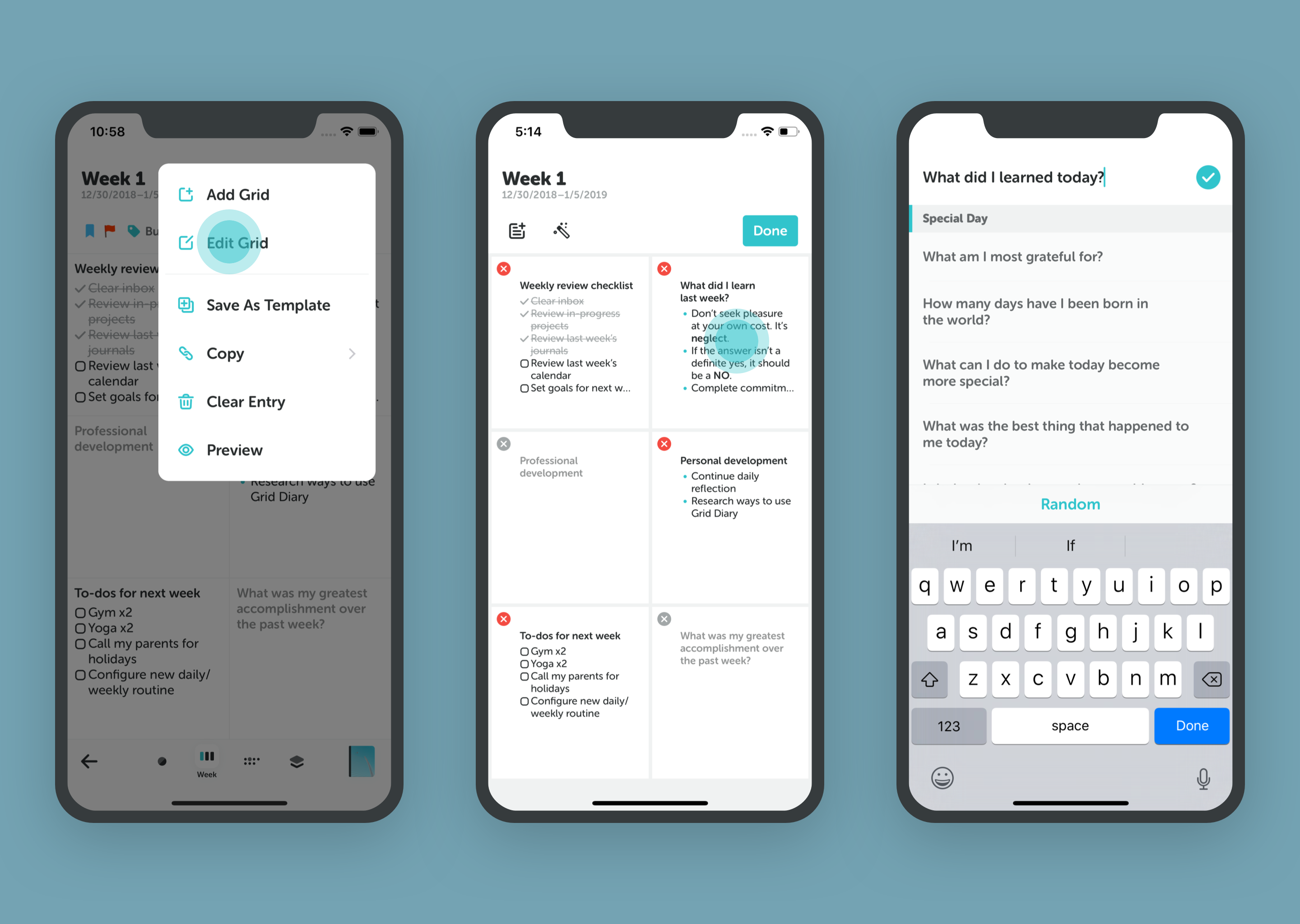
- Open a diary entry.
- Tap the "..." (More) button or the "+" button in the top right.
- Select Edit Grid.
In Edit Mode, you can:
- Rename: Tap any grid title to change the question.
- Reorder: Drag grids to change their sequence.
- Add/Remove: Add new grids or hide existing ones.
- Randomize: Tap the shuffle icon to get fresh questions from your library.
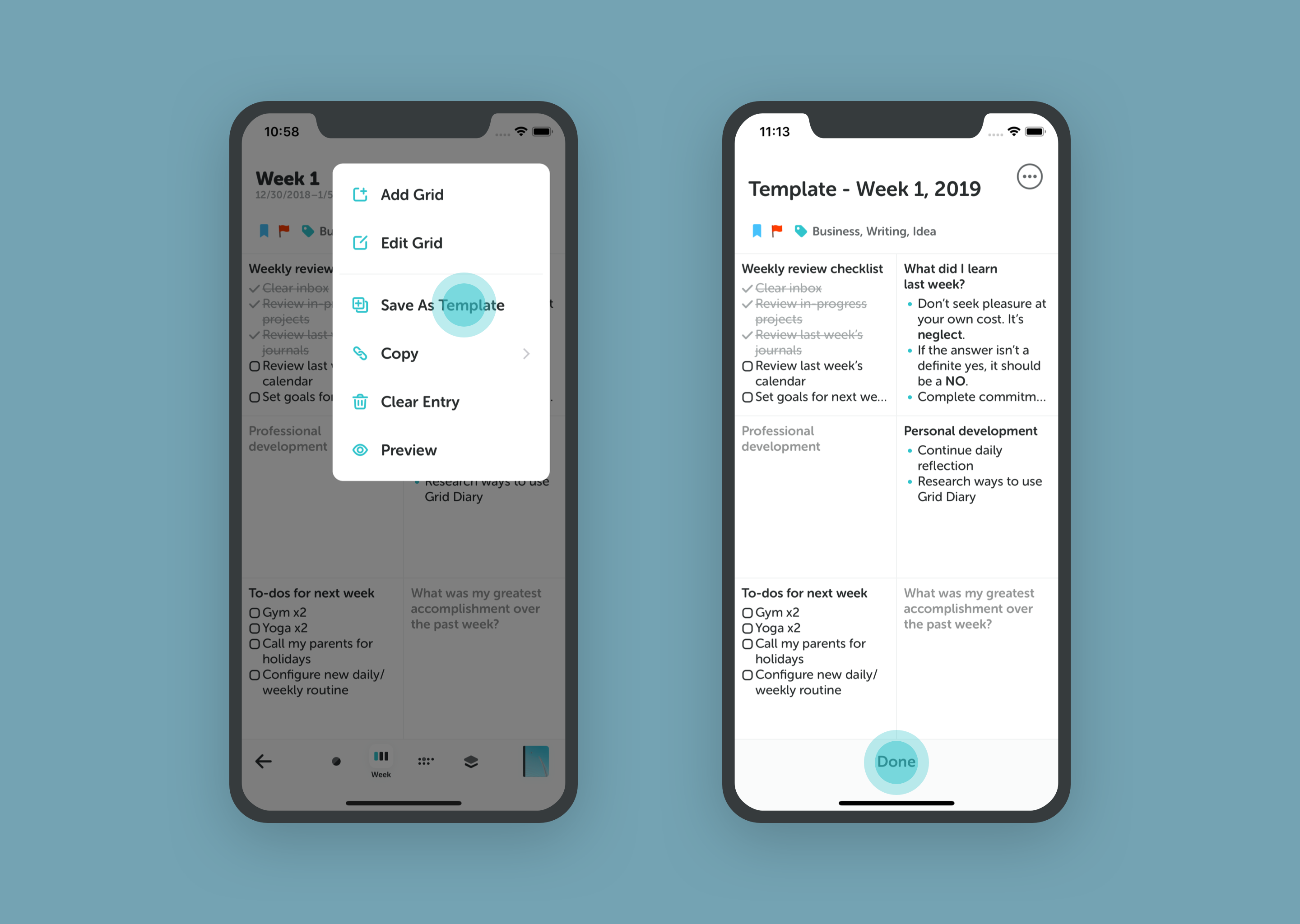
Want to save your current setup for future use? Tap Save as Template while in Edit Mode.