

Writing & Editing
Enjoy a premium, distraction-free writing and structured editing experience
Writing in Grid Diary is designed to be a delightful, structured, and friction-free experience. Rather than staring at a blank page, our guided editing interface helps you break down your reflections into focused, manageable answers.
Guided Writing Interface
Grid Diary divides your entries into customizable prompts. When you tap a grid, the editor opens in focus mode, allowing you to reflect deeply on one question at a time. This structured approach eliminates writer's block and turns writing into a natural daily habit.
WYSIWYG Editing
We offer a "What You See Is What You Get" writing experience. Grid Diary leverages Markdown under the hood—a lightweight formatting language that lets you style text quickly. Formatting is rendered instantly on screen as you type, so your entries always look beautiful and polished.
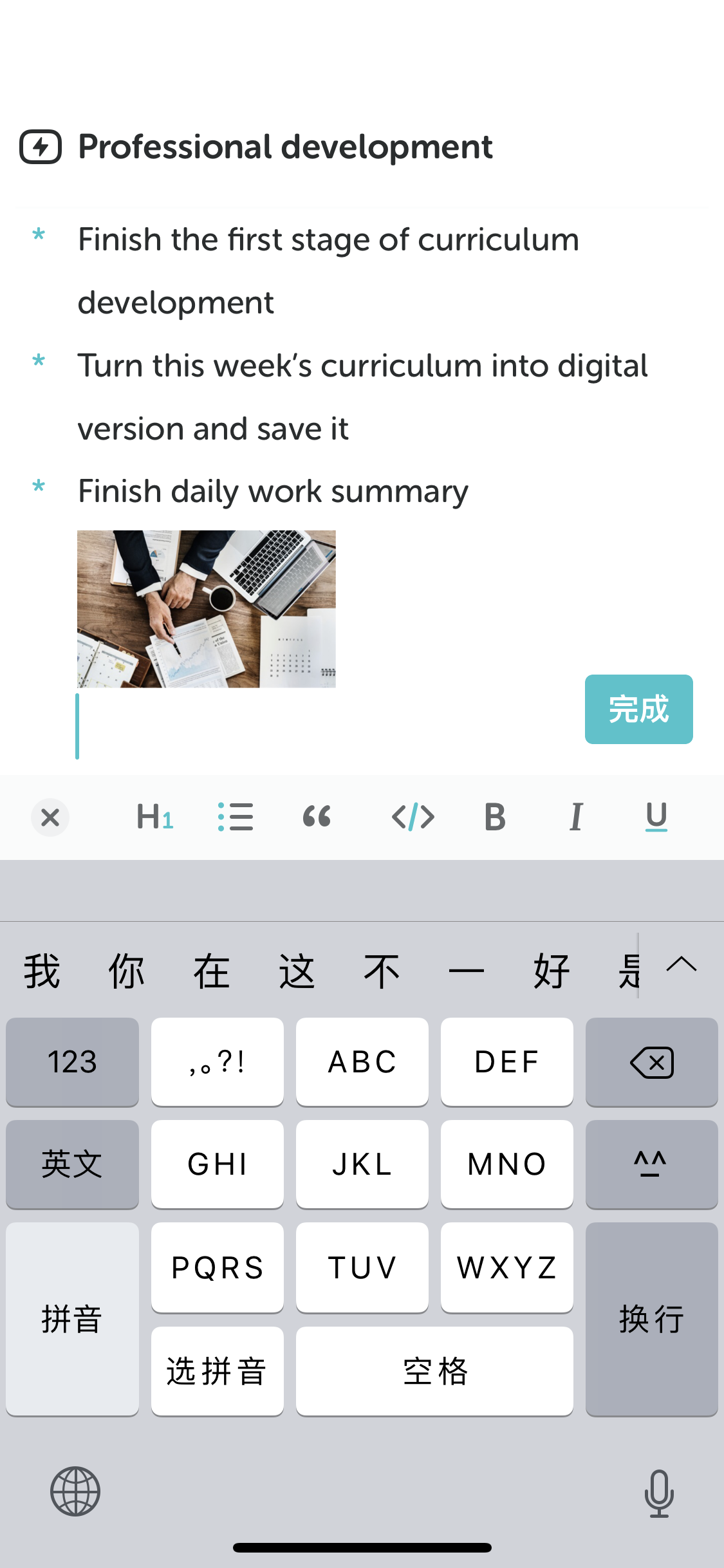
1. Keyboard Toolbar for Formatting
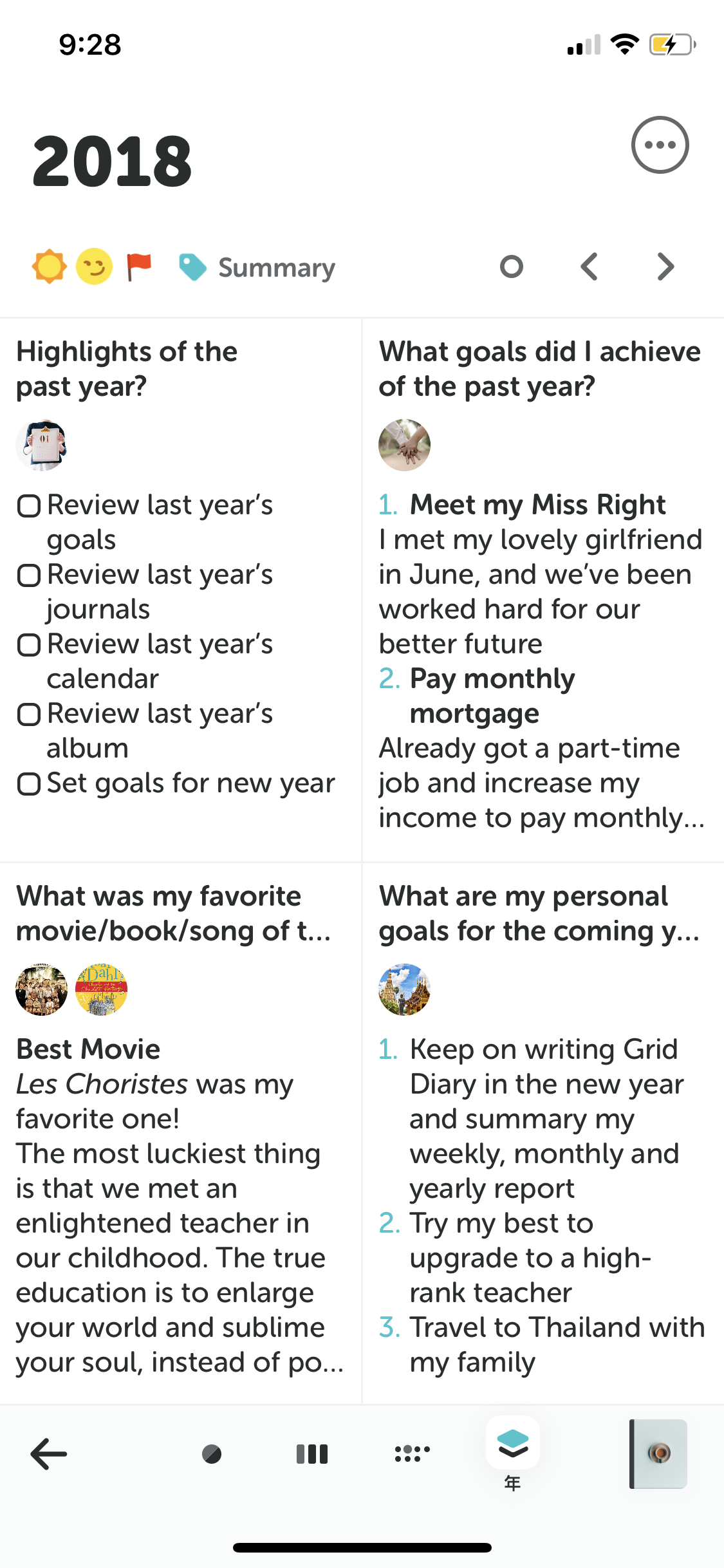
2. Instant WYSIWYG Rendering
Quick-Access Formatting Toolbar
You don't need to memorize any syntax! When editing, tap the Aa button above the keyboard to access the rich formatting toolbar:
Bold & Italic
Highlight key takeaways or thoughts with one tap.
Lists
Structure your goals, tasks, or items with bulleted or numbered lists.
Headings
Organize long entries or logs with H1, H2, and H3 headers.
Quotes
Pull out inspiring quotes, affirmations, or central realizations.
Deleting Entries and Clearing Grids
Deleting an entire entry and clearing a single grid are two different actions. The steps below apply to iOS / iPadOS and Android.
Delete an Entire Entry
Option 1: Delete from the Timeline
- Open the Timeline.
- Long-press the entry you want to delete.
- Select Delete Entry from the menu.
- Tap Delete to confirm.
Option 2: Clear from the entry page
- Open the entry for the day you want to delete.
- Tap the ⋯ (Actions) button on the entry page.
- Select Clear Entry, then tap Clear Entry again when asked "Are you sure you want to clear the entry?"
Clearing an entry deletes all of its grid content and attachments. The day then shows a blank entry based on the journal's template.
- Open the entry for the day you want to delete.
- Tap the more actions button on the entry page.
- In the menu, select More > Clear Entry.
- Tap Delete to confirm.
Clearing an entry deletes all of its content. The day then shows a blank entry based on the journal's template.
Deleting or clearing an entry cannot be undone in the app. If you have a data snapshot or JSON backup from before, see Backup & Restore to recover your data. Note that restoring from a snapshot overwrites all local data on the current device.
To delete an entire journal and all entries in it, see Delete a Journal.
Clear a Single Grid
There is no dedicated "clear" button for a grid. Depending on whether you want to keep the grid, there are two ways to do it.
Keep the grid and clear its content
- Tap the grid in your entry to start editing it.
- Delete all of the text in the grid. To remove an image, long-press it.
Remove the whole grid from this entry
- Open the entry, tap the ⋯ (Actions) button, and select Edit Grids.
- Tap the × button in the top right corner of the grid you want to remove.
- If the grid has content, tap Delete when asked "Are you sure you want to remove the grid?"
- Open the entry, tap the more actions button, and select Edit Grids.
- Tap the remove button on the grid you want to remove.
- If the grid has content, tap Delete to confirm.
Removing a grid only affects the current entry. It does not change the journal's template. Each entry must keep at least one grid.
Recover earlier grid content on iOS / iPadOS: Tap the grid to edit it, then select View Version History from the grid's actions menu to view or restore its recent edits. Only recent versions are kept; older versions are deleted automatically.
Markdown Keyboard Shortcuts
For power users who prefer keeping their hands on the keyboard, Grid Diary supports standard Markdown shortcuts:
| Style | Syntax | Example |
|---|---|---|
| Bold | **text** | text |
| Italic | *text* | text |
| Heading 1 | # Text | Text |
| Bullet List | - Item | • Item |
| Numbered List | 1. Item | 1. Item |
| Quote | > Text | Text |
| Checkbox | - [ ] Task | ☐ Task |
By utilizing Markdown for the writing backend, you can seamlessly export your diaries to plain text, HTML, or PDF while fully preserving all formatting. Your data remains perfectly portable and 100% yours forever.