
Timeline & Calendar
Navigate through your history
Timeline View
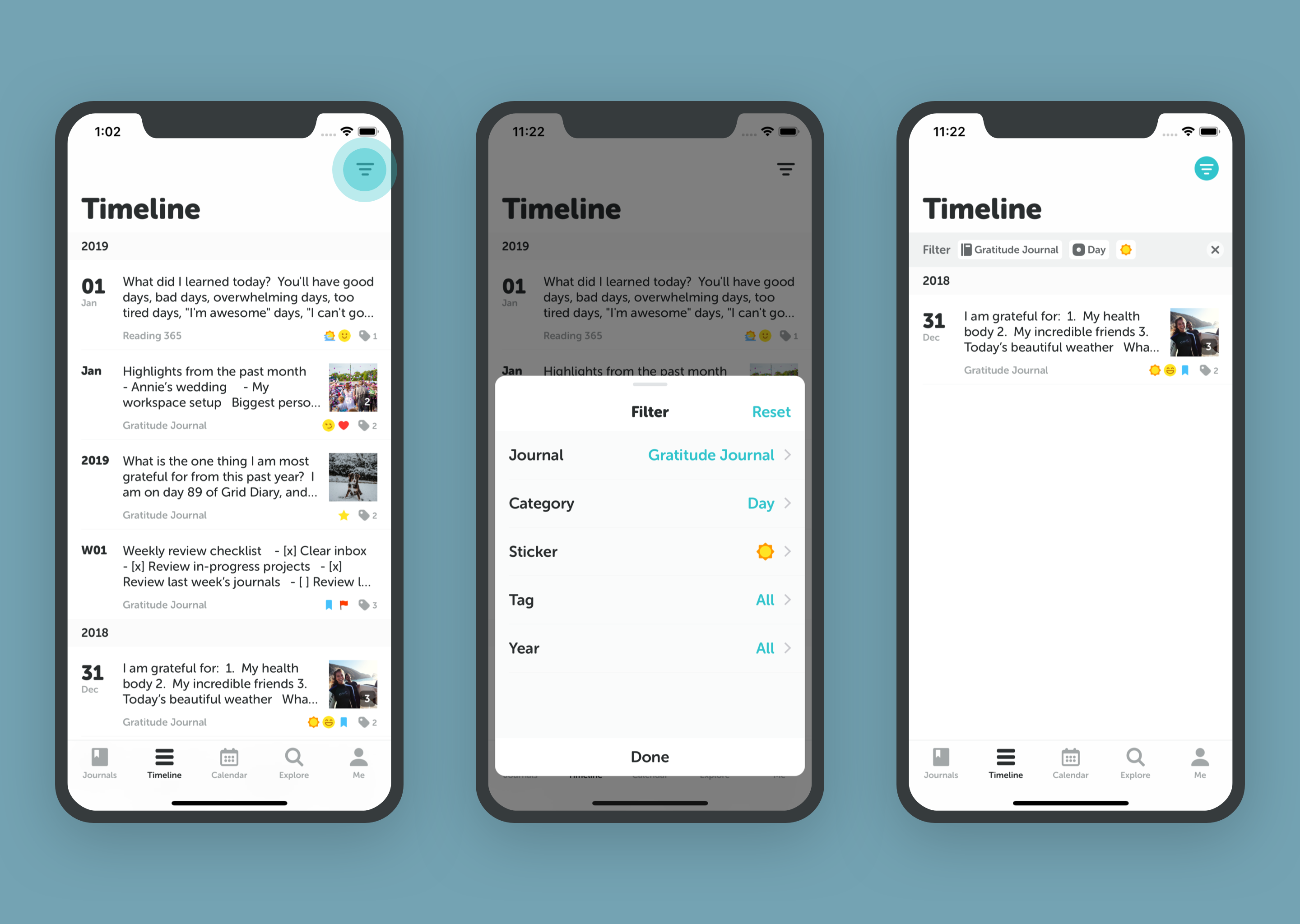
The Timeline is your main feed of entries. Access it from the home screen to scroll through your journals chronologically.
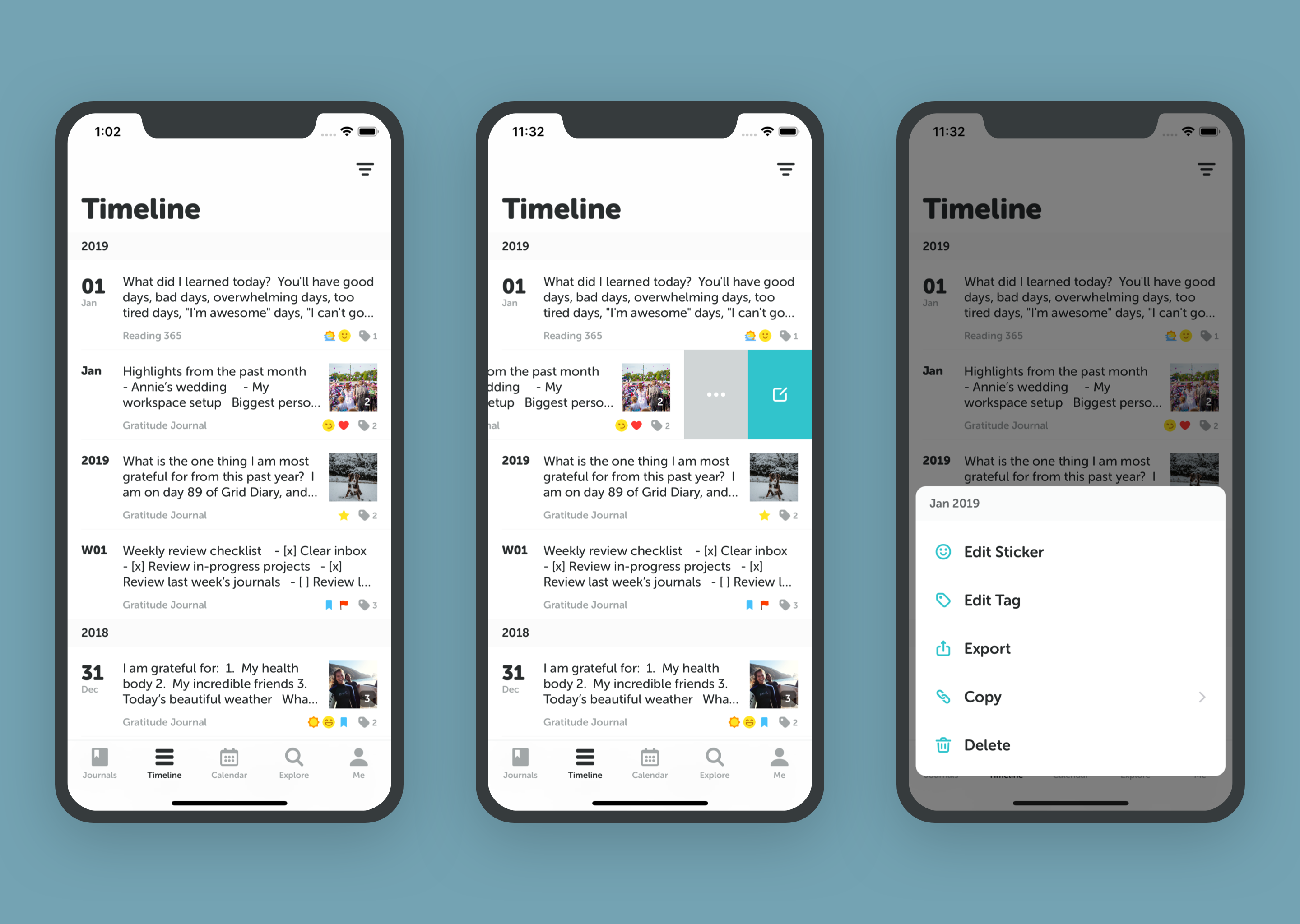
- View Options: Switch between Day, Week, Month, and Year views to see your progress at different scales.
- Context: See the weather, location, and tags for each entry at a glance.
Calendar View
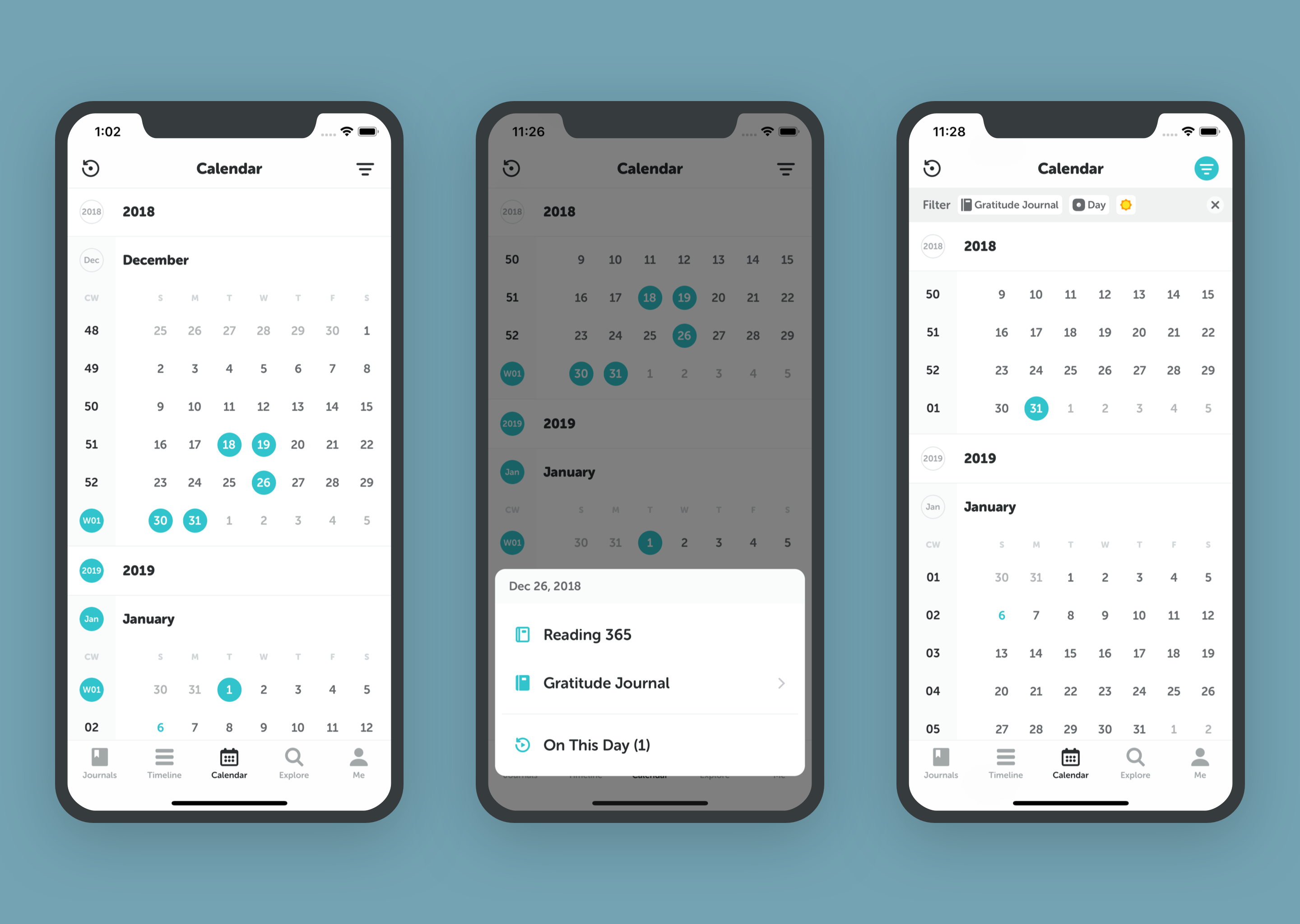
The Calendar offers a bird's-eye view of your journaling habit.
- Tap the Calendar tab at the bottom.
- Dots indicate days with entries.
- Tap any date to jump to that entry.
Calendar Heatmap
- Highlighted Dates: Days you wrote in your diary.
- Empty Dates: Days you missed.
- Blue Date: Today.
Use the Filter button in the top right to see specific journals or tags on the calendar.
Filtering Calendar Entries
You can easily filter your entries on the calendar to focus on specific journals or tags. This makes it incredibly simple to review your reflections in one particular notebook or trace recurring themes in your life.